Logos 3D
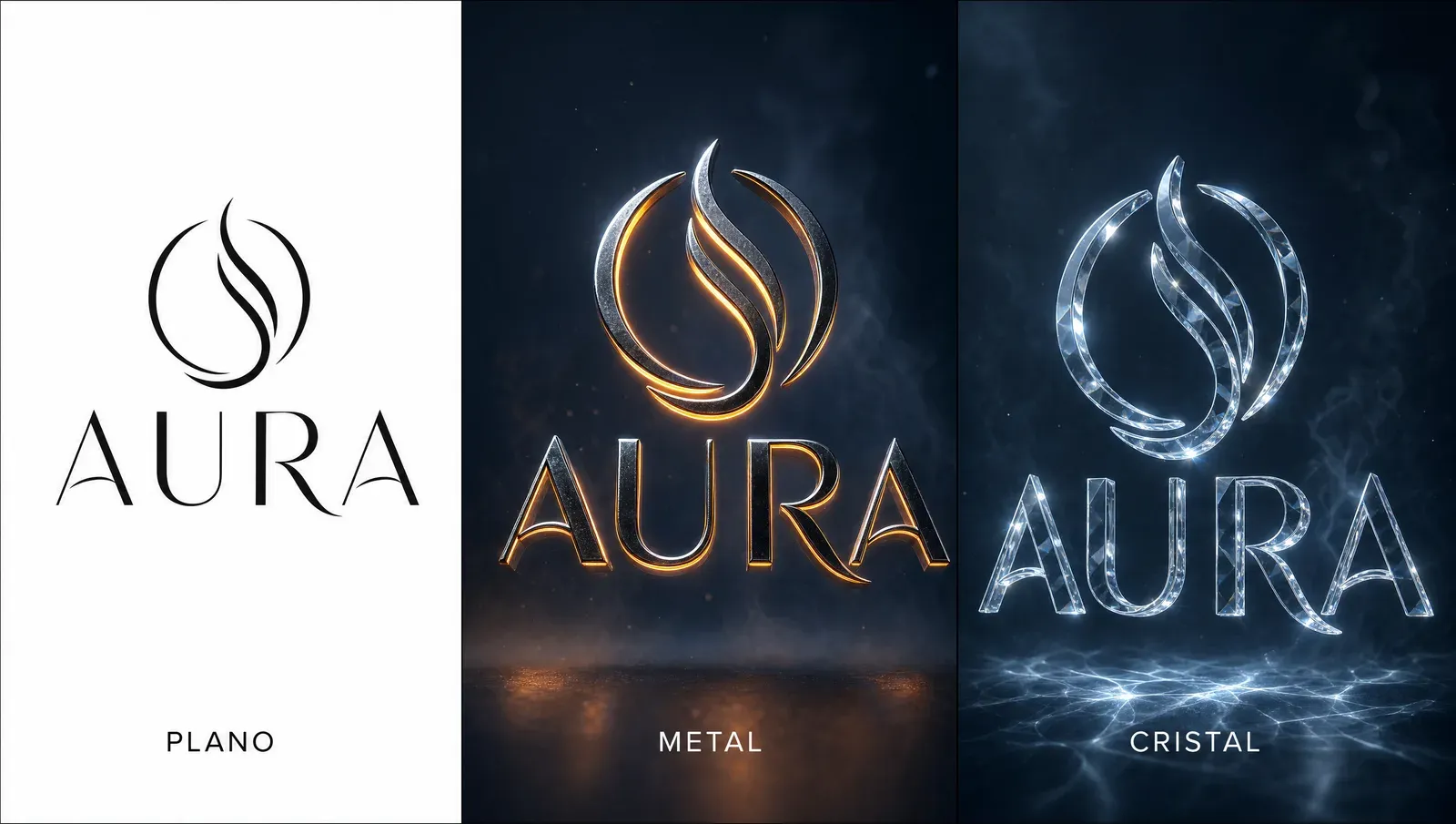
Agarrás el logo plano de una marca, lo pasás a 3D cinematográfico, y el resultado eleva cualquier proyecto.
Funciona en dos escenarios:
- Como apertura de un brand sheet o presentación — el primer slide es el logo 3D flotando con luz volumétrica. Eleva todo lo que viene después.
- Como pieza standalone — una intro de video, un asset de redes, una landing.
El workflow
- Conseguí el logo de la marca — versión vectorial limpia, alta resolución, fondo transparente o blanco
- Subilo como referencia en ChatGPT (gpt-image-2) — accesible desde ChatGPT o dentro de Higgsfield
- Pegá el prompt de abajo
- Generá
💡 Por qué gpt-image-2 acá: maneja texto e identidad de logo mejor que cualquier otro modelo hoy. Si el logo tiene tipografía específica que tenés que respetar, gpt-image-2 es la opción correcta.
El prompt
Create a hyperrealistic 3D render featuring the logo with a
sophisticated dual-layer construction: the upper layer crafted from
alloy with realistic reflections and subtle imperfections, while the
lower layer glows with intense neon luminescence creating a striking
halo effect, both layers perfectly mirroring the logo's shape and
floating weightlessly in mid air.

Frame the composition with a dynamic cinematic perspective using a
dramatic low angle view that emphasizes depth and grandeur, set against
a moody atmospheric background filled with mystical volumetric fog and
subtle particle effects.

Employ professional color grading with deep contrasts, incorporate
elegant lens flares and light rays piercing through the haze, add
sophisticated depth of field with bokeh elements, and finish with a
dark gradient backdrop transitioning from deep navy to charcoal black,
accented by subtle ambient lighting that highlights the logo's edges
and creates an epic movie poster aesthetic with premium commercial
quality.Cómo adaptarlo
El prompt rinde bárbaro as-is para la mayoría de los logos. Pero podés afinarlo por marca:
Cambiar el material del layer principal
El prompt default usa “alloy” (aleación metálica). Otros materiales que rinden:
- Cristal traslúcido: “the upper layer crafted from clear crystal glass with realistic light refraction and internal caustics”
- Oro pulido: “the upper layer crafted from polished gold with mirror finish and warm specular reflections”
- Carbono mate: “the upper layer crafted from matte black carbon fiber with subtle weave texture and minimal reflections”
- Mármol blanco: “the upper layer carved from white Carrara marble with soft veining and gentle subsurface scattering”
Cambiar el color del neón
El default da un halo neon “intenso” sin especificar color. Si querés afinarlo:
- Cyan eléctrico: “the lower layer glows with intense electric cyan neon luminescence”
- Magenta: “…intense hot magenta neon luminescence”
- Verde lima: “…intense lime green neon luminescence”
- Sin neón (más sobrio): “the lower layer crafted from brushed metal with subtle ambient illumination, no neon glow”
Cambiar el fondo
El default es navy → charcoal. Para marcas más luminosas o aspiracionales:
- Cielo de atardecer: “warm gradient backdrop transitioning from coral pink to deep amber, golden hour atmosphere”
- Niebla blanca: “soft luminous gradient backdrop transitioning from cream to pale grey, ethereal atmosphere with white volumetric mist”
- Espacio profundo: “cosmic gradient backdrop with star field and nebula accents, deep space atmosphere”
Tips importantes
- El logo tiene que estar limpio antes de empezar. Si la versión que subís ya tiene fondo ruidoso o resolución baja, el render 3D va a heredar esos problemas. Hacé un trabajo previo de limpieza con un editor online con background remover (Photoroom, Adobe Express, lo que prefieras) si hace falta.
- Si el logo es muy minimalista (un símbolo simple, un wordmark plano), el render 3D lo eleva mucho. Si el logo ya es complejo (mucho detalle, gradientes propios, ilustración), el resultado puede saturarse — simplificá pidiendo “single-layer simplified treatment, no neon glow, clean material focus”.
- Generá varias versiones. Para cualquier proyecto, generá 4-5 variantes con materiales y colores distintos (con las modificaciones de arriba). Tener opciones siempre suma.
Cuando lo pasás a video
Subís la imagen del logo 3D como start frame en Seedance 2.0, prompt corto:
Cinematic 3D logo reveal: the logo floats and slowly rotates with a
subtle hover motion. Volumetric light particles drift across the frame.
Lens flares pulse gently. Camera holds steady on the logo.

Camera movement: slow cinematic orbit around the logo, consistent
circular motion, smooth stabilization.5-8 segundos de logo animado, perfecto para abrir un video o un comercial.